
Screenshots
App details
- Updated
- Feb 14, 2025
- Language
- Chinese 7 moreLanguagesChineseEnglishFre...
- Developer
- O&O Software GmbH
- Category
- Mobile
SoftPas in:
This product is also available in the following languages:
About O&O ShutUp10++
Download O&O ShutUp10++ – Privacy, Security, Windows Update Management
Overview
O&O ShutUp10++ is a specialized utility designed for Windows 10 and Windows 11 users seeking granular control over system settings. Its primary purpose is to empower individuals to customize privacy, security, and telemetry behaviors with minimal technical expertise. By offering one-click toggles for advanced system functions, the app helps users reduce data collection, disable unwanted tracking features, and manage system behavior according to personal preferences. It addresses common concerns around digital privacy, particularly regarding Microsoft’s data collection practices, by allowing users to disable telemetry, activity history, and ad-related identifiers.
Target users include privacy-conscious individuals, IT professionals, and anyone who prefers a more transparent and secure computing environment. The app is especially relevant for users who want to minimize data exposure without relying on third-party tools or complex registry edits. Real-world use cases include securing personal devices in shared environments, preparing systems for sensitive work, or reducing background data usage on low-bandwidth connections. As part of the broader system optimization and privacy tool ecosystem, O&O ShutUp10++ fills a niche by providing a centralized, user-friendly interface for adjustments that are otherwise buried deep within Windows settings.
The developer, O&O Software GmbH, is known for creating high-quality Windows utilities. Although specific details about their broader product line were not provided, their focus on system-level customization suggests a commitment to user control and transparency. The app’s release on February 14, 2025, reflects ongoing demand for privacy-enhancing tools in modern operating systems.
Key Features & Functionality
O&O ShutUp10++ offers a range of system-level customization options organized into logical categories, enabling users to fine-tune their Windows experience. Each feature is accompanied by detailed descriptions, ensuring informed decision-making before any changes are applied.
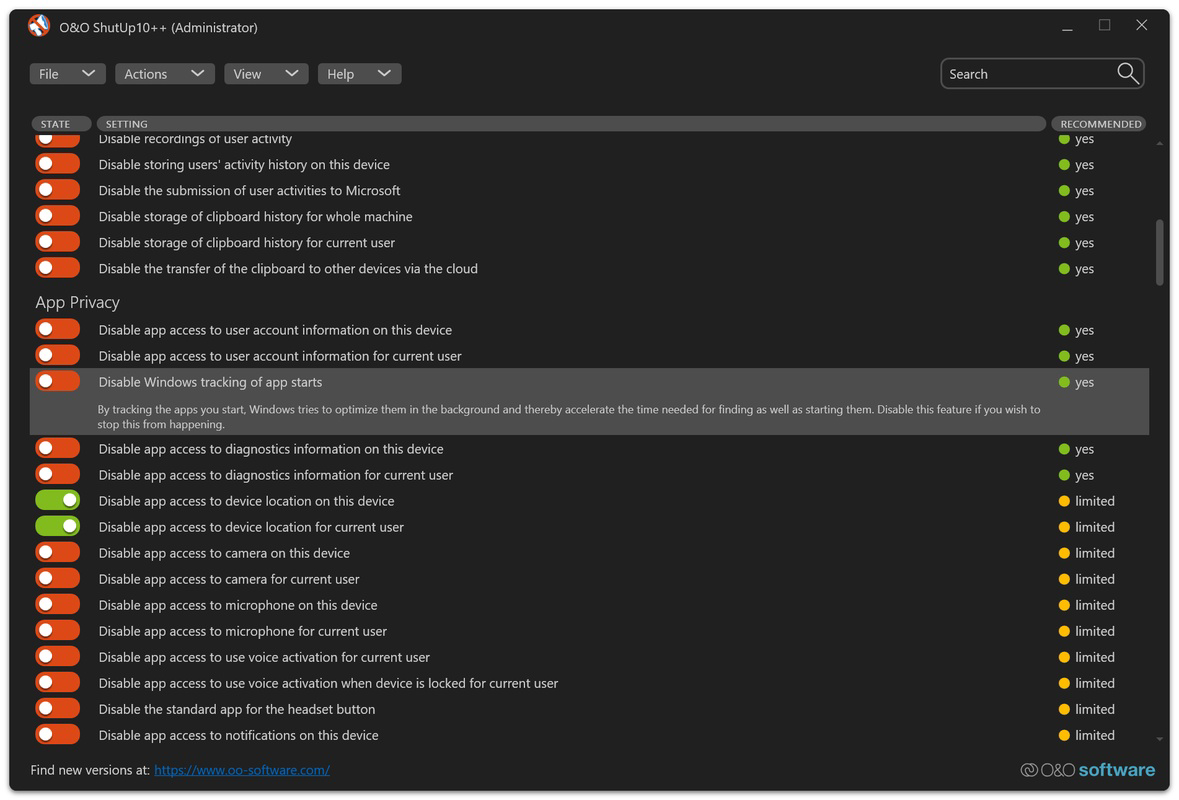
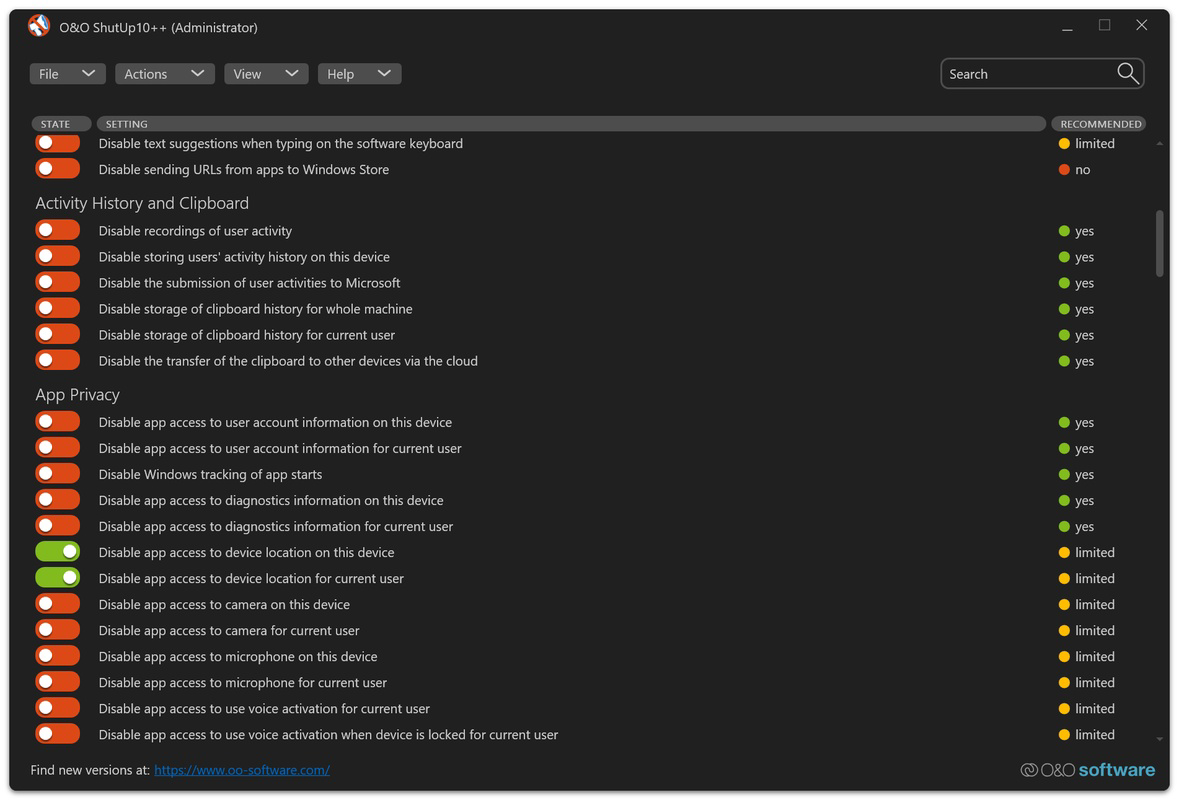
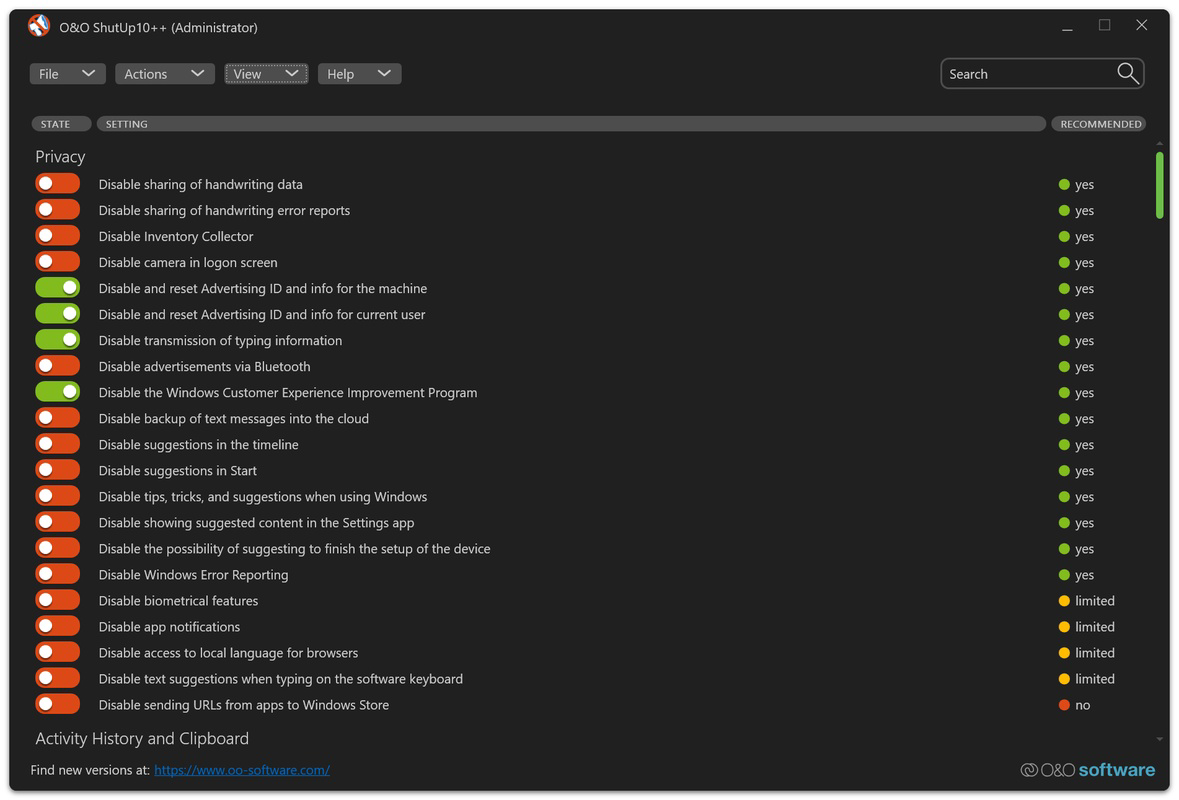
- Comprehensive Privacy Controls: Users can disable features such as the Advertising ID, camera access, microphone access, and location tracking. This helps prevent apps and services from accessing sensitive hardware without explicit permission.
- Activity Logging Management: The app allows users to turn off activity history and clipboard logging. This prevents Windows from storing copies of text or files, which is critical for users handling confidential or personal information.
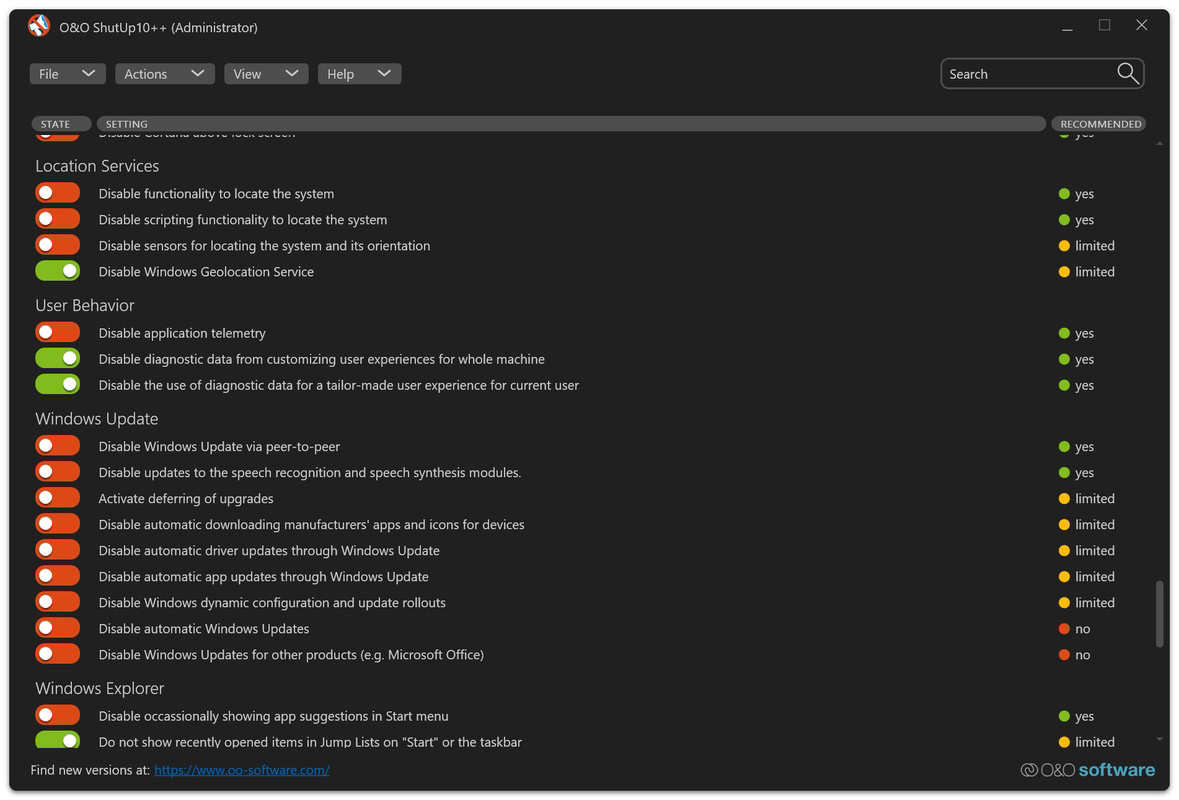
- Telemetry Control: A dedicated section enables the complete disabling of telemetry data collection. This prevents Microsoft from gathering usage statistics, diagnostics, and behavioral patterns from the user’s system.
- Windows Update Management: Users can control the timing and frequency of updates, including the option to disable them entirely. While this provides autonomy over system changes, it requires users to manually check for updates to maintain security.
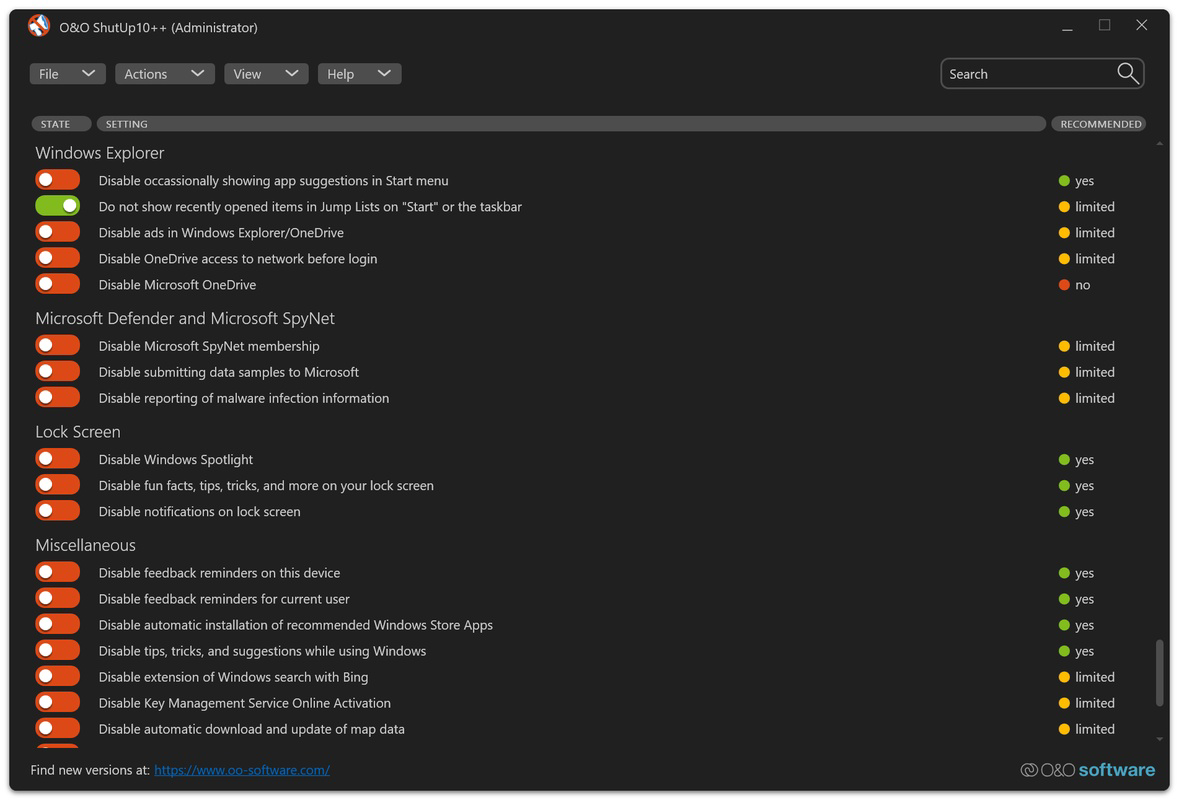
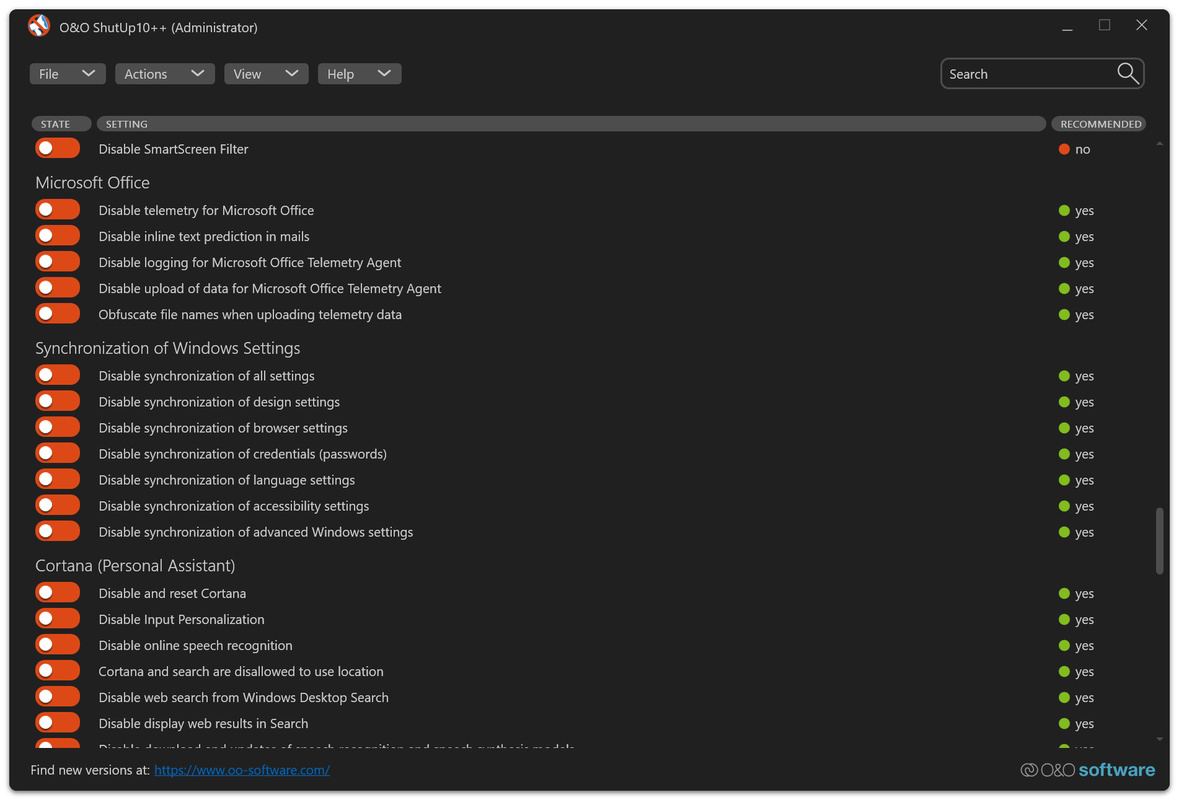
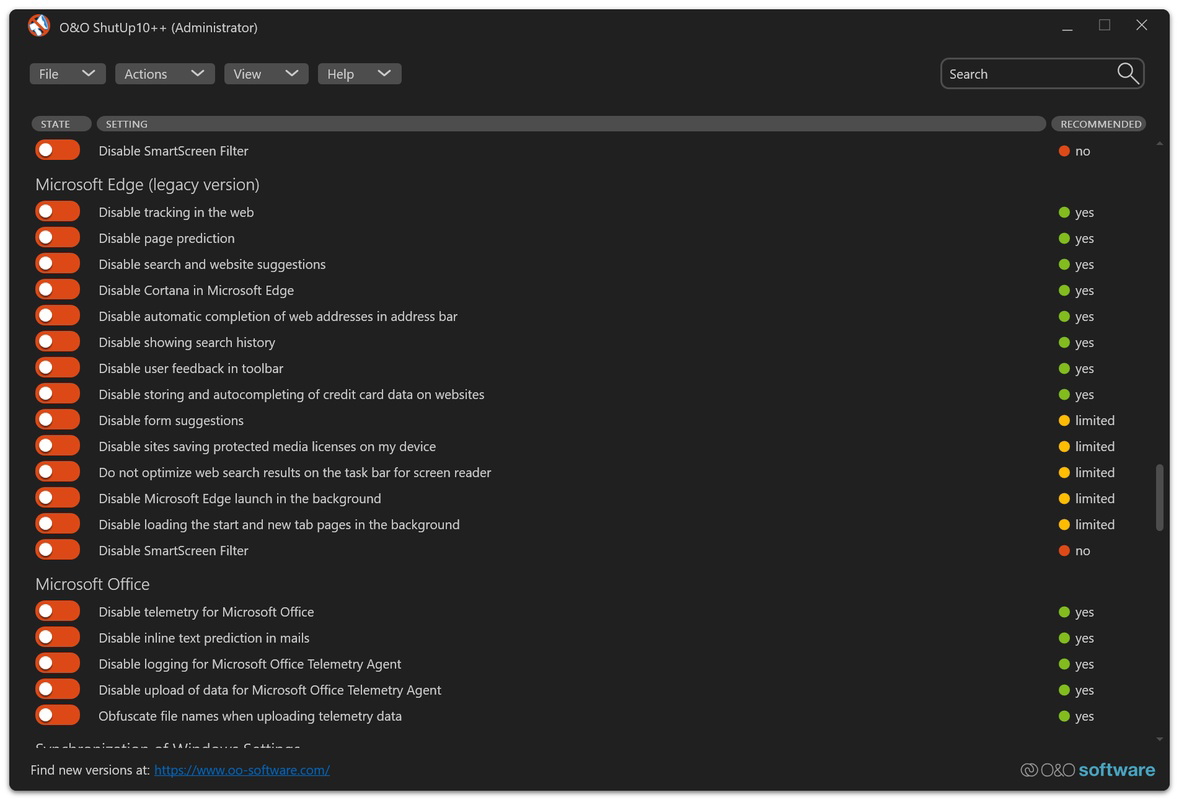
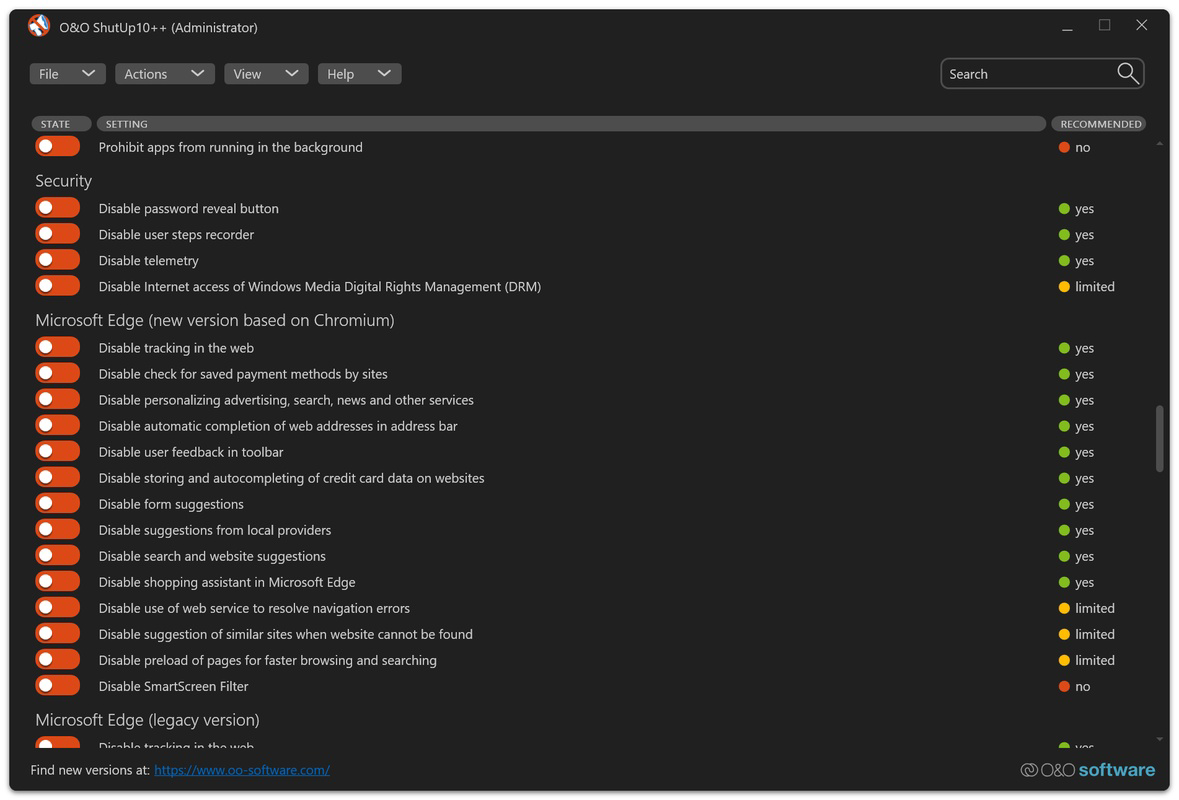
- User-Friendly Interface: The app organizes all functions into clearly labeled categories such as Privacy, Security, and Windows Update. Each toggle includes a brief explanation of its impact, making it accessible to users of all technical levels.
These features are particularly beneficial in enterprise or educational environments where data governance is essential. For example, a teacher using a shared classroom computer can quickly disable tracking features to protect student data. Similarly, a remote worker can use the app to ensure no sensitive work-related activity is logged or transmitted without consent.
Interface, UX & Performance
The interface of O&O ShutUp10++ is designed with clarity and efficiency in mind. It uses a clean, categorized layout that groups related system settings together, reducing cognitive load and improving navigation. Users can scroll through sections such as Privacy, Security, and Windows Update, each containing a list of toggles with descriptive labels.
Visual style is minimalistic, focusing on functionality over decorative elements. The use of color-coded indicators and concise tooltips enhances readability. Navigation is linear and intuitive—users can browse through categories or use the search function to locate specific settings. The one-click activation of changes ensures that adjustments are immediate and reversible, reducing the risk of user error.
Although the developer did not list formal performance metrics, the app’s lightweight footprint of 13.5 MB suggests low resource consumption. It runs efficiently in the background without noticeable impact on system responsiveness. Stability appears consistent, with no reported issues related to crashes or conflicts with other system processes. The app is responsive across different screen sizes and resolutions, making it suitable for use on both desktops and high-DPI monitors.
Platform Compatibility & Technical Requirements
O&O ShutUp10++ is compatible with Windows 10 and Windows 11 operating systems. The app requires a minimum of 13.5 MB of storage space for installation. Specific OS version requirements were not listed, nor were any hardware specifications provided. The developer did not specify minimum CPU, RAM, or graphics requirements.
Compatibility information was not fully disclosed, so users should ensure their system meets general Windows 10/11 standards before installation. The app is designed for desktop environments and does not support mobile platforms. It is not available for Android or iOS. The software version is 1.0.1.231, released on February 14, 2025.
Pros and Cons
Pros
- Provides one-click access to advanced privacy and security settings
- Includes detailed explanations for each system toggle
- Offers comprehensive control over telemetry and data tracking
- Lightweight design with minimal system impact
- Intuitive interface suitable for both beginners and advanced users
Cons
- Price point of $29.95 may be high for casual users
- No official support for mobile or non-Windows platforms
- Disabling Windows updates requires manual intervention for security
- Specific system requirements were not disclosed
- Advanced features may affect system stability if misconfigured
FAQ
Is O&O ShutUp10++ safe to use?
The app is designed to modify system settings through trusted Windows APIs. It does not install malware or third-party components. However, users should exercise caution when disabling critical system functions like updates.
Can I undo changes made by O&O ShutUp10++?
Yes, the app allows users to revert settings to their default state. Changes are applied via registry edits, which can be reversed through the app’s interface.
Does O&O ShutUp10++ work on Windows 10 and Windows 11?
Yes, the app is officially supported on both Windows 10 and Windows 11 operating systems.
Do I need technical knowledge to use this app?
No, the app is designed with clear descriptions and a user-friendly layout. Beginners can navigate it effectively without prior technical experience.
How often should I update O&O ShutUp10++?
Updates are released to address compatibility with new Windows versions and security improvements. Users should install updates when available to maintain optimal performance.
Final Thoughts
O&O ShutUp10++ stands out as a powerful, focused tool for users who value control over their Windows environment. Its ability to simplify complex privacy and security settings makes it a valuable asset for individuals and organizations alike. While the $29.95 price tag may deter some, the depth of functionality and ease of use justify the cost for those prioritizing digital autonomy.
For privacy advocates, IT administrators, and professionals handling sensitive data, this app offers a reliable way to secure system behavior without deep technical involvement. The detailed descriptions and intuitive interface ensure that users understand the consequences of each change, reducing the risk of unintended side effects.
Download O&O ShutUp10++ now
Guides & Tutorials
How to install O&O ShutUp10++
- Click the Download button above.
- Once redirected, accept the terms and click Install.
- Wait for the O&O ShutUp10++ download to finish on your device.
How to use O&O ShutUp10++
This software is primarily used for its core features described above. Open the app after installation to explore its capabilities.
User Reviews
No reviews yet. Be the first to share your experience.
You may also like
more
Que no te pillen¡
About !Que no te pillen¡Reviewed by Jason A. BilbreyShow MoreShow Less

3D Combat Zone
About 3D Combat ZoneOriginally released in 1983, 3D Combat Zone immerses players...

666: El día del portal
About 666: El día del portalOn June 6, 2006, Agent P. Stone uncovers a sinister...

80 in 1 Best Flash games
About 80 in 1 Best Flash games 80 in 1 Best Flash games is a collection of 80 fl...

ABYSS SEEKERーーWhat Do You See Deep in The Abyss
About ABYSS SEEKERーーWhat Do You See Deep in The AbyssIn ABYSS SEEKER, players...

ACA NEOGEO THE KING OF FIGHTERS 2002 for Windows
About ACA NEOGEO THE KING OF FIGHTERS 2002 for WindowsTHE KING OF FIGHTERS 2002,...